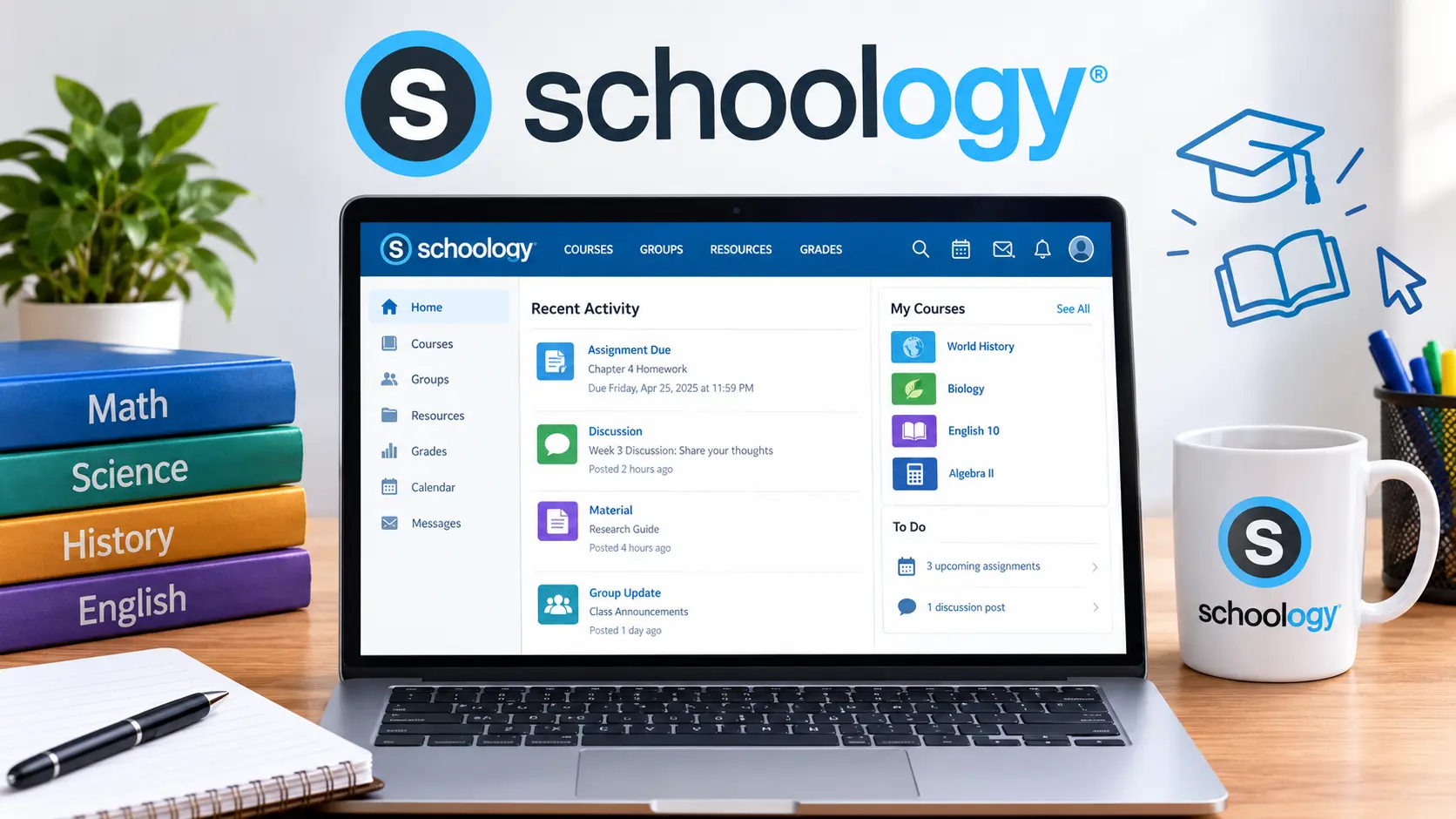
Schoology is a K-12 learning management system, now officially called PowerSchool Learning Management (Schoology), that gives teachers, students, and parents one shared place for classroom materials, assignments, grades on individual coursework, and messaging. Schools and districts license it directly, so most people encounter it because their school assigned them an account rather than by signing up themselves. This guide covers exactly what Schoology does, how it differs from PowerSchool’s separate student information system, who actually uses it day to day, common login problems and how to fix them, and how it stacks up against other classroom platforms like Google Classroom and Canvas.
Table of Contents
What Is Schoology, Exactly?
Schoology is a learning management system (LMS) built specifically for kindergarten through 12th grade education. Since PowerSchool acquired it, now operates as part of PowerSchool’s broader Unified Classroom suite, officially branded as PowerSchool Learning Management (Schoology), though nearly everyone, including PowerSchool’s own materials, still refers to it simply as Schoology.
At its core, gives teachers a place to post assignments, share course materials, run discussions, and manage a gradebook, while giving students and parents a corresponding view into that same coursework. It’s designed to connect the entire K-12 journey in one platform, rather than switching tools as students move between grade levels.
Schoology vs. PowerSchool: The Confusion Worth Clearing Up
This is the single most common point of confusion, and it’s worth addressing directly, since plenty of people search for Schoology when they actually need a completely different system.
| Platform | What It’s Actually For |
| Schoology | The classroom-level learning management system — assignments, course content, discussions, and classroom communication |
| PowerSchool (SIS) | The student information system — official grades, attendance records, and enrollment data |
If you’re looking for a final report card grade or attendance history, that typically lives in PowerSchool’s student information system, not Schoology. If you’re looking for today’s homework, a course reading, or a message from a teacher, that’s ‘s job. Many districts run both systems side by side, with grades syncing automatically between them, which is exactly why the two names get mixed up so often.
Schoology Meaning Summary Table
| Aspect | Detail |
| What it is | A K-12 learning management system for classroom content and communication |
| Owned by | PowerSchool, following its acquisition of Schoology |
| Official current name | PowerSchool Learning Management (Schoology) |
| Who provides access | Schools and districts, not individual sign-ups |
| Core users | Teachers, students, parents/guardians, and administrators |
| Recent additions | PowerBuddy AI, an integrated assistant built into teacher and student workflows |
Who Actually Uses Schoology, and How
Schoology serves several distinct groups, each with a different view of the same platform:
- Teachers use it to post assignments, upload course materials, build a gradebook for coursework, run class discussions, and communicate with students and families
- Students use it to check assignments, submit work, access course readings, and track feedback on their coursework
- Parents and guardians get a window into their child’s classroom activity, assignments, and teacher communication, often through a dedicated parent account tied to their student
- Administrators use it at a district level to standardize course templates, manage shared resources across schools, and keep instructional content consistent
Because Schoology spans the entire K-12 range, the same platform typically follows a student from elementary school through graduation, with an “Elementary Experience” version designed to be simpler for younger students than the interface used in middle and high school.
Common Schoology Login Issues and How to Fix Them
Login problems are one of the most frequent reasons people search for Schoology help, so here’s what actually resolves most of them:
- Wrong login portal. Students, parents, and staff typically use different login links, and using the wrong one is a frequent cause of “invalid login” errors.
- School-managed accounts, not personal ones. Since your school or district creates and manages your Schoology account, a forgotten password usually needs to be reset by your school, not through a generic account-recovery flow.
- Single sign-on (SSO) confusion. Many schools require students and staff to log in through a district Google or Microsoft account rather than a separate Schoology username and password.
- Browser or app version issues. Clearing cache, updating the app, or trying a different browser resolves a surprising number of persistent login failures.
- Account not yet provisioned. New students sometimes search for login help before their school has finished setting up their account, which requires contacting the school directly rather than troubleshooting further.
If none of that resolves the issue, the fastest fix is always contacting your specific school’s IT or front office, since Schoology accounts are created and controlled at the school and district level, not by Schoology or PowerSchool support directly for individual students and parents.
Schoology vs. Other Classroom Platforms
Schoology isn’t the only learning management system schools use, and knowing how it compares helps explain why some schools land on Schoology while others don’t.
| Platform | Best Known For |
| Schoology | Full K-12 LMS with deep integration into PowerSchool’s broader suite of district tools |
| Google Classroom | Simpler, lightweight assignment and communication tool tightly built into Google Workspace |
| Canvas | Widely used LMS across both K-12 and higher education, known for strong course design tools |
| Microsoft Teams for Education | Classroom communication and assignments built into the Microsoft 365 ecosystem |
Schools generally choose Schoology when they want one consistent platform across every grade level and want tight integration with PowerSchool’s student information system and other district tools, rather than combining several separate, unconnected apps.
What’s New in Schoology: PowerBuddy AI
One of the more significant recent additions to the platform is PowerBuddy AI, an assistant built directly into Schoology’s teacher and student workflows. For teachers, it’s designed to speed up tasks like drafting content or organizing course materials. For students, it offers built-in support within their existing assignments and coursework, rather than requiring a separate tool. Since Schoology continues to roll out new features through regular release updates, the exact tools available can vary somewhat depending on a school or district’s specific configuration and rollout timeline.
Common Mistakes People Make With Schoology
- Trying to sign up independently. Schoology accounts come from your school or district; there’s no general public sign-up the way there is with many consumer apps.
- Confusing it with PowerSchool’s grade and attendance system. Report cards and attendance live in PowerSchool’s SIS, not in Schoology itself.
- Using an outdated bookmark or old login link. Districts occasionally change their specific Schoology login URL, which can cause confusion if an old link is bookmarked.
- Assuming every school’s Schoology looks identical. Districts customize course templates, branding, and available tools, so the experience can vary noticeably between schools.
- Contacting Schoology/PowerSchool directly for individual account issues. Since accounts are managed at the school level, your school’s own IT support is almost always the correct first stop.
Quick Summary
- Schoology is a K-12 learning management system, now officially branded PowerSchool Learning Management (Schoology).
- It’s separate from PowerSchool’s student information system, which handles official grades and attendance rather than classroom content.
- Access comes through your school or district, not an individual sign-up process.
- Most login issues trace back to using the wrong portal, an SSO requirement, or an account that needs resetting by the school itself.
- PowerBuddy AI is a newer addition, built directly into teacher and student workflows within the platform.
Frequently Asked Questions About Schoology
What is Schoology used for? Schoology is used as a K-12 learning management system where teachers post assignments and course materials, and students and parents can track that same classroom activity in one place.
Is Schoology the same as PowerSchool? Not exactly. PowerSchool is the parent company that now owns Schoology, and PowerSchool also operates a separate student information system for official grades and attendance, distinct from Schoology’s classroom-level tools.
How do I log into Schoology as a student? You’ll typically use a login link provided by your school, often through single sign-on with a school Google or Microsoft account, rather than a general public login page.
I forgot my Schoology password, what do I do? Since school accounts are managed by your district, contact your school’s IT support or front office directly rather than trying a generic password-reset process.
Can parents access Schoology too? Yes. Most schools set up a separate parent or guardian login, giving families visibility into their child’s assignments, course materials, and teacher communication.
Is Schoology free to use? Schoology is licensed by schools and districts rather than sold to individual users, so there’s no direct consumer pricing or free public sign-up available.
What’s the difference between Schoology and Google Classroom? Schoology is a fuller K-12 learning management system with broader integration across district tools, while Google Classroom is a lighter, simpler tool built into Google Workspace.
Why does my school use both Schoology and PowerSchool? Many districts run both together: Schoology handles day-to-day classroom content, while PowerSchool’s separate system manages official grade and attendance records, often syncing data between the two.
What is PowerBuddy AI in Schoology? It’s an AI assistant built into Schoology’s teacher and student workflows, designed to help with tasks like content creation and providing in-context support within coursework.
Does Schoology work the same way for elementary and high school students? Not exactly. Schoology offers a simplified “Elementary Experience” for younger students, while middle and high school students use the standard interface, all within the same overall platform.